


Published 8 min read By Wolf Smart Industries
Short answer
Choose a web app (PWA) when the app is mainly for looking up and recording data and doesn't need to be in the app stores. Choose a cross-platform or hybrid app (Flutter, React Native) to reach the App Store and Google Play from one codebase. Go native (Swift and Kotlin) when performance or deep access to the phone is critical.
“We need an app” is one of the things we hear most often in meetings. Behind it there is almost always another question: what kind of app, for whom and to do what. The answer changes the timeline, the maintenance and the investment, so it is worth getting clear on it before asking for quotes.
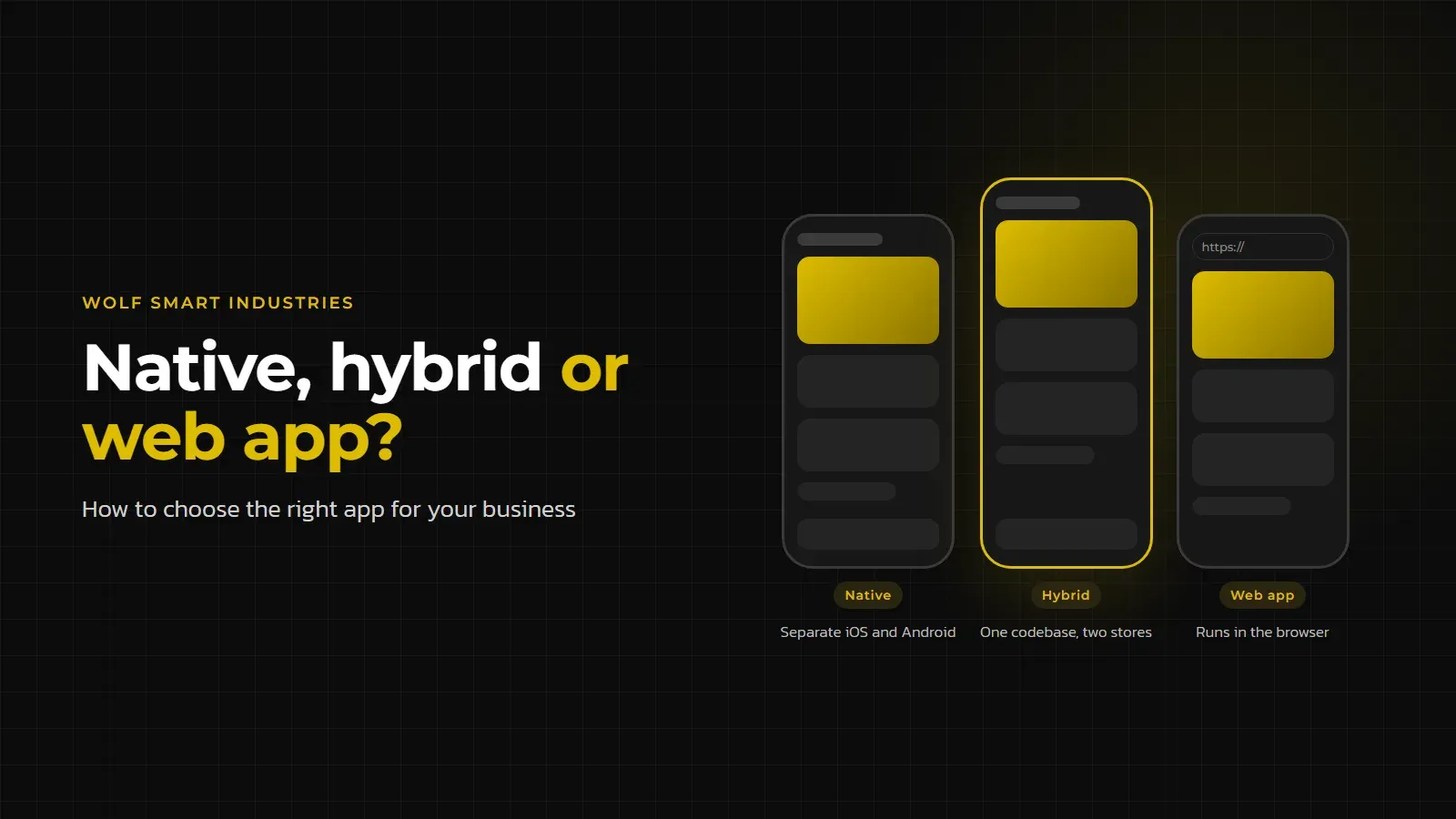
Native, hybrid or PWA: what each one means
There are three ways to put an application on someone’s phone, and the difference lies in the technology it is built with and where it is installed from.
- Native app: written in each platform’s own language, Swift for iPhone and iPad and Kotlin for Android. In practice these are two apps, each with its own code, published on the App Store and Google Play.
- Cross-platform app (what many people call hybrid): written once and run on both iOS and Android. Flutter builds apps for mobile, web and desktop from a single codebase and compiles to machine code. React Native uses JavaScript and React and creates each platform’s native views at runtime, so the app looks and behaves like any other. These apps are published in the stores too.
- Web app or PWA (progressive web app): built with web technologies and opened in the browser. According to Mozilla’s documentation (MDN), a PWA runs on many devices from a single codebase and, like an app, can be installed, work offline and run in the background. It skips the app stores: people install it straight from its web address.
When people search for “native vs hybrid app”, they are almost always comparing the first two. The third is the one that gets forgotten most often, and it is frequently the one that solves the problem.
Which phone features each type of app can use
The camera and GPS are no longer a reason to avoid the web. Location (the Geolocation API) and camera access (getUserMedia) have worked in all the major browsers for years, as long as the site uses HTTPS and the user gives permission. A web app can take photos, read the user’s location and open an address in their navigation app.
The differences show up elsewhere:
- Working offline: in a PWA this is handled by a service worker, a script that stores the files and data the app needs and answers requests when there is no connection. It only works over HTTPS. Native and cross-platform apps can store data on the phone itself.
- Push notifications: a PWA can receive them through its service worker. On iPhone and iPad they arrived with iOS and iPadOS 16.4, but only for web apps added to the Home Screen and only once the user allows them. In an app store app, notifications are part of the system.
- Bluetooth and NFC: MDN marks the Web Bluetooth API and the Web NFC API as experimental, and neither works in some of the most widely used browsers. If the app has to talk to a device over Bluetooth or read NFC cards, the web is not a safe bet.
- Deep system access: a native app has direct access to everything the platform offers. In Flutter, platform channels let the app call Kotlin or Swift code when it needs something platform-specific; React Native also accepts native components written in those languages.
In short, the more the app depends on hardware connected to the phone, the closer it moves towards a native or cross-platform app.
Publishing on the App Store and Google Play: what it involves
Being in the stores brings visibility and trust, but it adds steps that a PWA doesn’t have.
- Developer accounts: distributing on the App Store requires an annual Apple Developer Program membership; Google Play asks for a registration with a one-off fee and identity verification for whoever publishes. Personal Google Play accounts also have to meet testing requirements before they can distribute apps.
- Review: Apple reviews every app that goes on the App Store. Google also reviews apps and updates, and warns that for some accounts a review can take up to seven days, or longer in exceptional cases.
- Content rules: Apple’s guidelines ask for features, content and a UI that take the app beyond a repackaged website (guideline 4.2). An app that is just the website inside a frame risks rejection.
- Updates: every new version goes through the store, and users update in their own time. In a PWA, the update is published on the server and reaches everyone the next time they open the app.
To be installable in Chrome, a PWA essentially needs to be served over HTTPS and have a manifest file with its name, icons and display mode. There is no review and no developer account.
How much does an app cost? What drives the price
There is no list price for an app, because the cost depends on decisions made before any code is written. These are the factors that weigh most:
- Number of codebases to maintain: a native iOS app and a native Android app are two projects; a cross-platform app or a PWA is one.
- Screens and features: every user role, workflow and business rule adds design, development and testing work.
- Connections to other systems: ERP, invoicing, CRM, payments or third-party APIs.
- Device features: Bluetooth, NFC and offline working with synchronisation need more development and more testing on real devices.
- Admin panel and server: almost every app needs a management side (on the office computer) and a database.
- Publishing and maintenance: developer accounts, preparing the store listings, new versions of iOS and Android and fixes over the years.
The last point is the one most often left out of the sums. An app isn’t finished on the day it is published: iOS and Android get new versions and the stores update their rules.
Native, hybrid or PWA: a decision table
| Criterion | Native app (Swift and Kotlin) | Cross-platform or hybrid app (Flutter, React Native) | Web app or PWA |
|---|---|---|---|
| Codebase | One per platform | One for iOS and Android | One for every device |
| Time to market | Longest | In between | Shortest |
| Camera and GPS | Yes | Yes | Yes, with HTTPS and permission |
| Bluetooth and NFC | Yes | Yes, with native code where needed | Experimental, not reliable |
| Offline working | Yes | Yes | Yes, with a service worker |
| Push notifications | Yes | Yes | Yes; on iPhone, only once added to the Home Screen |
| App Store and Google Play | Yes, with review | Yes, with review | Not needed |
| Updates | New version in each store | New version in each store | Instant, on the server |
| Best for | Critical performance and heavy use of the device | Customer apps in the stores, on iOS and Android | Internal teams, management and data lookup |
When you don’t need an app
Many businesses don’t need an app in the stores: they need a web platform that works well on a phone. A responsive platform is enough when:
- the users are your own team, not the public: you can send them the address and ask them to add it to their Home Screen;
- use is occasional, such as requesting a quote or checking a status, and nobody will install an app for that;
- the core job is looking up and recording data, with photos and location, without devices connected over Bluetooth;
- the content is mainly informational (a catalogue, news, contact details): Apple’s guideline 4.2 makes it clear that a repackaged website isn’t enough to get onto the App Store.
That was the route in several of our projects. The CardioEasy platform, which manages cardiology exams across a network of clinics, and the Clevertours app, which runs a transfer and tour operation, are web applications that work on computers and phones without going through the stores. Sometimes the right step isn’t an app at all, but custom software that brings data and processes into one place, as we explain in Excel or custom software?.
Real cases: three apps, three choices
A store app for end customers. Glamm EVOPlus Remote, built for GlammFire, is published on the App Store for iPhone and iPad. It switches EVOPlus automatic fireplaces on and off and adjusts the flame, registers each fireplace by scanning its QR code and controls several fireplaces from the same account. For a product that customers use at home, being in the official store is part of the experience.
A PWA for field teams. Znüni, Wolf’s own product, is a progressive web app for service companies: it installs on the phone like an app, without going through the stores, and also works on tablets and computers. Each employee sees the day’s schedule and opens the client’s address in the GPS with one tap; the manager plans the teams from the office. As it is sold by subscription, each company gets new features as they are released, without waiting for a store review.
iOS and Android for the public. IWAP Sports, another of our own apps, brings people together to play and train and is available for iOS and Android, with direct links to the App Store and Google Play. Taxisubito’s booking app in Zurich is also built for iOS and Android, alongside a website with online booking.
There are mixed solutions too: the Akiloc app runs on the office computer, on the counter tablet (where staff carry out inspections with photos and take the customer’s signature) and on the phone.
How we choose with our clients
Before talking about technology, we ask four questions: who will use the app, how often, which phone features are essential and whether it needs to be in the stores. With those answers, the choice between native, cross-platform and PWA usually becomes obvious. We work with Swift, Kotlin, Flutter and React Native as well as web applications, so we have no reason to push one option.
At Wolf Smart Industries we build mobile apps for iOS and Android and web platforms from Braga, for businesses in Portugal, Spain, the Netherlands and Switzerland. If you are thinking about an app, get in touch: we will tell you honestly whether you need a store app, a PWA or something simpler.
Sources
- Apple: App Store Review Guidelines (opens in a new window)
- Apple: Apple Developer Program (opens in a new window)
- Google Play Console Help: register for a developer account (opens in a new window)
- Google Play Console Help: publishing status and app review (opens in a new window)
- WebKit: Web Push for Web Apps on iOS and iPadOS (opens in a new window)
- MDN: Progressive web apps (opens in a new window)
- MDN: Service Worker API (opens in a new window)
- web.dev: What does it take to be installable? (opens in a new window)
- MDN: Geolocation API (opens in a new window)
- MDN: MediaDevices.getUserMedia() (camera and microphone) (opens in a new window)
- MDN: Web Bluetooth API (opens in a new window)
- MDN: Web NFC API (opens in a new window)
- Flutter: official website (opens in a new window)
- Flutter: platform channels (calling native code from Flutter) (opens in a new window)
- React Native: Core Components and Native Components (opens in a new window)
About the author

About the author
Wolf Smart Industries
Wolf Smart Industries is a software engineering company based in Braga, Portugal, founded in 2021. It builds custom software, apps and applied AI for businesses in Portugal, Spain, the Netherlands and Switzerland, and installs home automation under the Wolf Smart Home brand. It is recognised by ANI, the Portuguese National Innovation Agency, as a technology company.
Meet the team