


Published 5 min read By Wolf Smart Industries
Short answer
When a spreadsheet is used by several people at once, holds customer data and drives day-to-day decisions, it is already working as software, just without the safeguards. That is usually when custom software pays off: data lives in one place, with rules that prevent mistakes, permissions for each person and a connection to the systems the business already uses.
Excel is one of the best tools for starting a business. It is flexible, everyone knows how to use it and it costs nothing extra. The problem isn’t Excel: it’s the moment the business grows and the spreadsheet stays the same.
7 signs Excel is no longer enough
1. Only one person can edit the sheet at a time
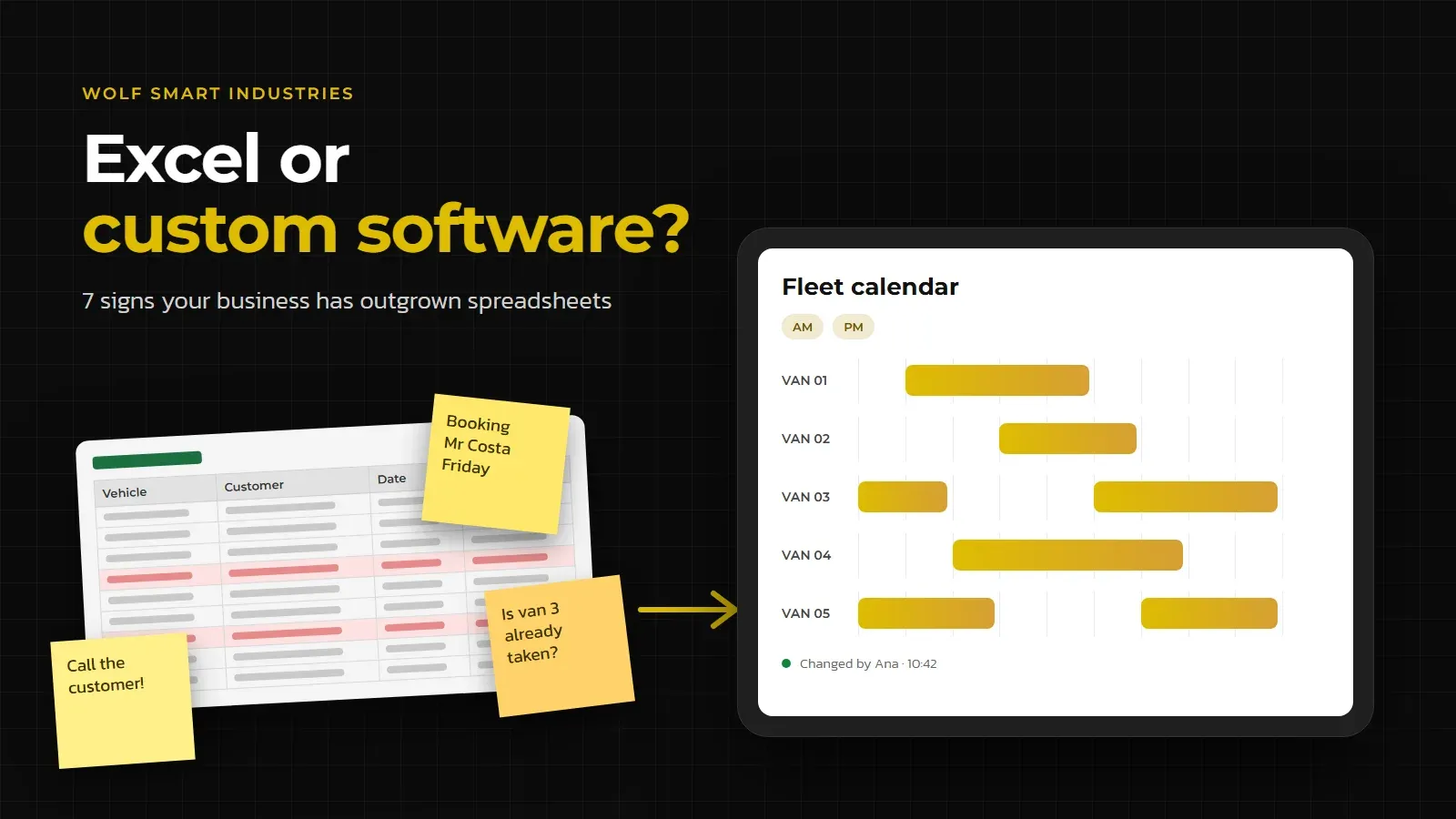
When the file is locked because someone has it open, the team starts building workarounds: requests on paper, messages, copies of the sheet. That is what happened at Akiloc, a van rental company: bookings lived in a shared Excel file that only one operator could edit, and everyone else wrote requests on sticky notes.
2. The same data is typed into several places
The customer is in Excel, in the invoicing software, in email and on the salesperson’s phone. Every copy is a chance for an error, and every update has to be made several times.
3. Mistakes are already costing money
Forgotten orders, outdated prices, the same vehicle promised to two customers. A spreadsheet accepts almost anything you type into it; software can simply refuse a double booking.
4. Nobody knows who changed what
When a figure is wrong, “who changed this and when?” has no easy answer. In custom software, every change is logged with the name of the person who made it and the time.
5. Your field team works by phone, WhatsApp and paper
Technicians, drivers and site teams need to see the day’s work and log what they did on their phones. A spreadsheet on a small screen doesn’t do that job. Znüni, for example, was built to get service companies off Excel sheets and last-minute phone calls.
6. Monthly figures take days to pull together
If someone has to merge several sheets and do sums by hand to find out the month’s revenue, utilisation or delays, the information arrives too late to act on. A management dashboard shows up-to-date figures every day.
7. The spreadsheet depends on one person
Chained formulas, macros and hidden columns that only one person understands are a risk: if that person leaves or goes on holiday, the process stops. And if the sheet holds customers’ personal data, it is hard to control who can access it, as the GDPR requires.
If you recognise three or more of these signs, Excel is already costing you more than it seems.
Excel or custom software: what changes in practice
| Criterion | Shared Excel file | Custom software |
|---|---|---|
| Several people at once | Possible in Excel online, but without rules | Everyone works on their own screen, with rules |
| Business rules (e.g. blocking double bookings) | Limited to cell validation | Built around your process |
| Permissions | Per file or per sheet | Per person, per role and per record |
| History | File versions | Every change, with its author and time |
| Field work | Hard on a phone | Phone and tablet app, with photos and signatures |
| Connection to ERP and invoicing | Copy and paste, import and export | Automatic connection |
| Reports | Built by hand | Live dashboard and export to Excel |
| Cost | Already paid for | Upfront investment and maintenance |
Cost is the argument in Excel’s favour, and it shouldn’t be ignored. The right comparison weighs the investment against the cost of staying as you are: hours lost copying data, mistakes that reach customers and decisions made too late.
When you don’t need custom software
Not every spreadsheet should be replaced. Keep Excel when:
- only one person uses it and the data rarely changes;
- an off-the-shelf product already does almost everything you need (invoicing, accounting, a simple CRM);
- the process still changes every week: settle on how you work first, then automate it.
There is a middle ground between the two: automations that connect the tools you already use and remove repetitive tasks, without building a full system.
How to move from Excel to custom software without stopping the business
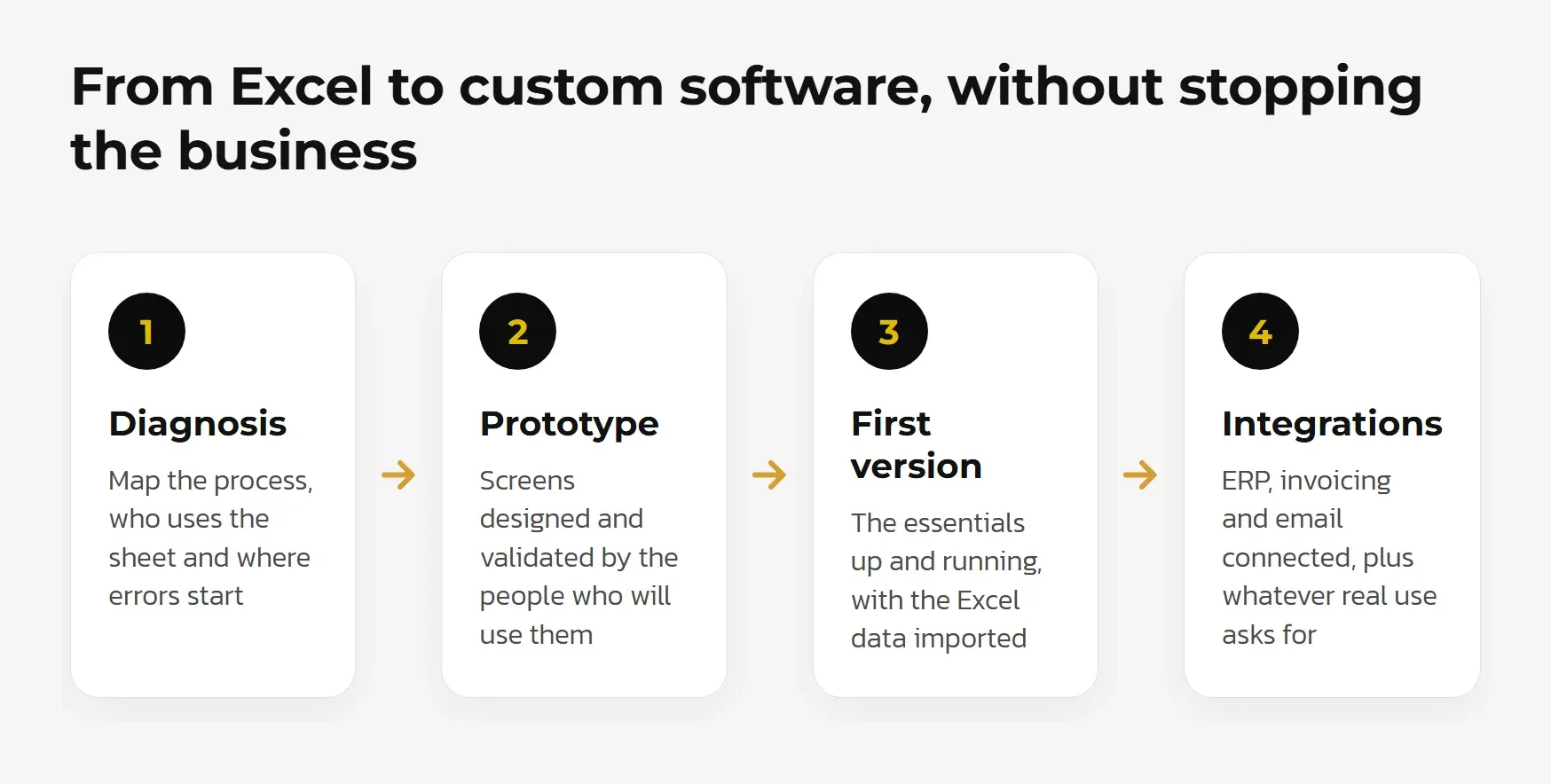
- Diagnosis. We map the process as it is today: who uses the sheet, which columns matter, where errors start and which systems need to stay connected.
- Prototype. We design the screens and validate them with the people who will use them, before writing any code.
- First version and migration. We build the features with the most impact and import the data from your existing sheets. The team starts working in the new system; Excel stays as a reference.
- Integrations and improvements. We connect the software to your ERP, invoicing and email, and add whatever real-world use shows is missing.
The key is not to replace everything at once. Each phase delivers something the team already uses every day.
A real case: from a shared sheet to a fleet calendar
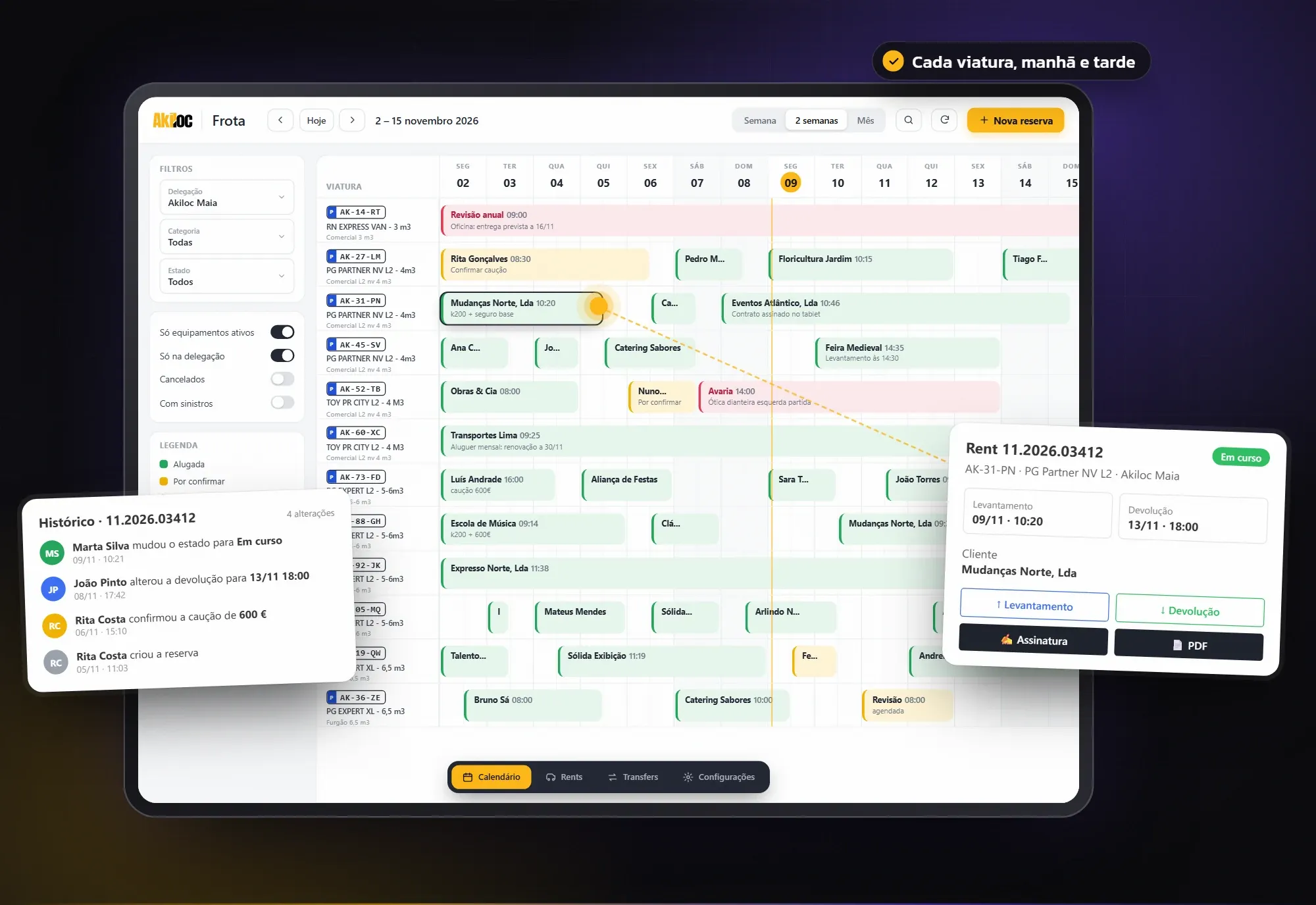
At Akiloc, the app we built replaced the shared Excel file and the sticky notes with a fleet calendar where every operator books directly. Every change is logged, inspections are done on a tablet with photos, the customer signs at the counter and receives the contract by email on the spot. A dashboard for each branch brings together the month’s figures, with export to Excel.
According to the founder, this is what allowed the company to open more branches without losing agility. See the full Akiloc case study.
What about artificial intelligence?
Artificial intelligence only helps when the data is organised. While it lives in scattered spreadsheets, it is hard to put AI to work. In custom software, AI can sort requests that arrive by email, fill in reports from notes or summarise a customer’s history. Find out more about AI built into apps and software.
Next step
At Wolf Smart Industries we build custom software for businesses in Portugal and Switzerland, from our base in Braga. If your business recognises these signs, get in touch: we start by understanding how you work today and tell you honestly whether the right move is custom software, an off-the-shelf product or simply a better-organised spreadsheet.
Sources
About the author

About the author
Wolf Smart Industries
Wolf Smart Industries is a software engineering company based in Braga, Portugal, founded in 2021. It builds custom software, apps and applied AI for businesses in Portugal and Switzerland, and installs home automation under the Wolf Smart Home brand. It is recognised by ANI, the Portuguese National Innovation Agency, as a technology company.
Meet the team